
TL;DR An AI writing assistant works alongside you while you write. It catches grammar issues, suggests rewrites, completes sentences, and turns rough notes into polished paragraphs. The 2026 leaders are Grammarly, ChatGPT, Claude, Notion AI, Jasper, Copy.ai, Writesonic, Sudowrite, Rytr, and Anyword. While AI helps you produce content, CallSetter AI handles the calls those content readers eventually make.
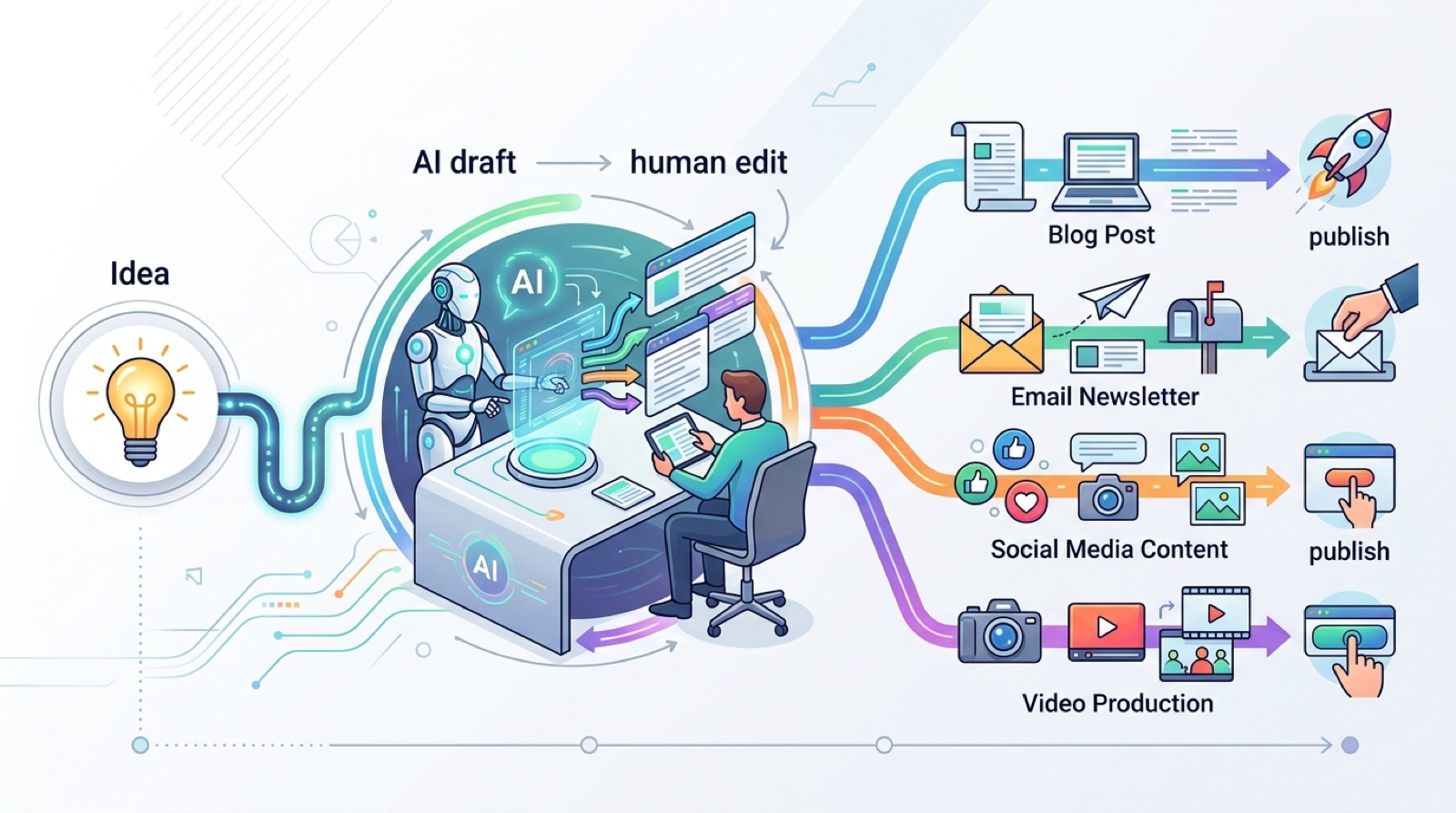
Modern AI writing assistants run inside Google Docs, Notion, Word, and your browser, suggesting edits and rewrites in real time.
An AI writing assistant is software that watches you write and offers suggestions as you type. Unlike a full AI writer that generates content from scratch, an assistant lives inside the tool you already use. Google Docs, Microsoft Word, Notion, Gmail, Slack, your browser. It suggests fixes for grammar, tone, clarity, and structure without you ever leaving the document.
The first generation of writing assistants started with Grammarly in 2009. They caught typos and basic grammar issues using rule based pattern matching. The 2026 generation uses large language models to suggest entire sentence rewrites, complete your half written sentences in your own voice, summarize long passages, and turn rough notes into polished paragraphs.
The line between an AI writing assistant and an AI writing tool is fuzzy. The simplest distinction is that an assistant runs inside your existing editor and an AI writing tool is a standalone editor. Many tools do both.
We tested every major writing assistant on the same brief, a 1,200 word draft about lead generation for service businesses. Here is the head to head.
| Tool | Best for | Price | Lives in | Sentence completion | Tone analysis |
|---|---|---|---|---|---|
| Grammarly | Grammar and tone | $12/mo | Browser, Word, Docs | Yes | Yes |
| ChatGPT | Idea generation | $20/mo | Standalone, browser ext | Yes | Yes |
| Claude | Long form editing | $20/mo | Standalone, browser ext | Yes | Yes |
| Notion AI | Note taking | $10/mo | Notion only | Yes | Limited |
| Jasper | Marketing copy | $49/mo | Standalone, browser ext | Yes | Yes |
| Copy.ai | Sales emails | $49/mo | Standalone, browser ext | Yes | Yes |
| Writesonic | SEO blogging | $20/mo | Standalone, browser ext | Yes | Limited |
| Sudowrite | Fiction writing | $19/mo | Standalone | Yes | Limited |
| Rytr | Budget writing | $9/mo | Standalone, browser ext | Yes | Limited |
| Anyword | Predictive ad copy | $49/mo | Standalone, browser ext | Yes | Yes |
For deeper dives, see our Jasper review, Copy.ai review, and Writesonic review.

Ten AI writing assistants tested side by side on the same brief, scored on grammar accuracy, voice match, and rewrite quality.

Every modern AI writing assistant runs the same basic loop. The text in your editor gets sent to a language model in real time. The model returns suggestions based on a system prompt that defines its job. The suggestions appear inline in your editor as underlines, popups, or side panels.
The technical layers look like this.
Layer 1: The editor integration. Browser extension, native plugin, or API hook into the editor. This is where Grammarly built its moat. They were first into Word, Docs, Gmail, Slack, and the browser. Other tools followed.
Layer 2: The text streaming. As you type, the assistant either sends each sentence on punctuation or batches text every few seconds. Aggressive streaming uses more API calls but gives faster feedback.
Layer 3: The system prompt. This is where the personality lives. Grammarly’s prompt is tuned for grammar and tone. Sudowrite’s prompt is tuned for fiction craft. Jasper’s prompt is tuned for marketing copy. Same underlying model, different system prompts, different output.
Layer 4: The suggestion UI. Some assistants use inline underlines like Grammarly. Some use side panels like Notion AI. Some use slash commands like Claude. The UI affects how often you actually accept suggestions.
Layer 5: The learning loop. The best assistants remember which suggestions you accept and reject. Grammarly tracks this to improve recommendations over time. Jasper and Copy.ai use it for brand voice training.
Here is what teams actually use AI writing assistants for in 2026.
Email triage and replies. Sales teams use Grammarly Premium or ChatGPT inside Gmail to draft replies in seconds. A 30 second voice memo turns into a polished 200 word email.
Long form blog editing. Content teams use Claude or Jasper inside Google Docs to clean up first drafts. Cuts editing time from 60 minutes to 20 minutes per article.
Slack and Teams messaging. Remote teams use Grammarly to make quick messages clearer and less abrasive. Reduces tone misunderstandings on async teams.
Document summarization. Execs use Claude or ChatGPT to summarize a 30 page contract into 5 bullet points before review.
Brand voice enforcement. Marketing teams train an assistant on existing brand copy, then use it to flag any new content that drifts from voice.
Multilingual writing. Anyone writing in their second language uses an AI writing assistant to catch idioms and grammar quirks they would miss themselves.
Mid article CTA. While AI helps you produce content, CallSetter AI handles the calls those content readers eventually make. We deploy AI voice agents for service businesses in 48 hours.
The three most common AI writing assistants in 2026 each solve a different problem.
Grammarly. Best for catching grammar errors, tone shifts, and clarity issues in writing you have already done. It does not generate new content well. It is an editor, not a writer. Best price for what it does. If you write 5+ emails or documents a day, it pays for itself in week one.
ChatGPT. Best for generating new content, brainstorming, and rewriting paragraphs in different voices. The browser extension lets you call ChatGPT from any text field. Works for everything from email replies to outlines to first drafts. Less precise on grammar than Grammarly.
Claude. Best for long form writing. Claude handles 200+ page documents in a single context window and produces the most natural prose of any 2026 model. Worse at quick grammar fixes, better at editing 5,000 word articles. Use Claude for strategy docs, long emails, and book drafts.
For most teams the answer is “use all three.” Grammarly catches grammar issues in real time. ChatGPT handles rewrites and quick drafts. Claude handles long form. Combined cost is about $52 per month per user. Compared to a copy editor at $50 to $80 per hour, the math is obvious.

Here is the workflow we see top content teams use in 2026.
Step 1: Voice memo or rough draft. A subject matter expert dictates or types a rough version of the content with no editing.
Step 2: AI cleanup. Run the rough through Claude or ChatGPT with a prompt like “Rewrite this in clear, professional English. Keep the meaning. Cut filler. Aim for 800 words.” This produces a 70% finished draft in 30 seconds.
Step 3: Human edit. A human editor adds the original insights, fixes facts, and makes the voice match the brand.
Step 4: Grammarly final pass. Run the polished draft through Grammarly Premium with goals set to “Knowledgeable, Confident, Engaging” or whatever matches your brand.
Step 5: SEO scoring. For long form content, run through Surfer SEO or Frase before publishing.
This workflow turns a 4 hour writing task into a 45 minute one. The AI writing assistant is one piece of a five step chain, not a magic button.
For the broader content workflow, see our AI content marketing and AI content tools guides.
The total cost of running AI writing assistants for a small team is lower than most people expect.
| Setup | Monthly per user |
|---|---|
| Grammarly Premium only | $12 |
| ChatGPT Plus only | $20 |
| Claude Pro only | $20 |
| Grammarly + ChatGPT + Claude (recommended) | $52 |
| Jasper or Copy.ai (full marketing platform) | $49 to $99 |
For a team of 5 marketers writing 30 articles a month, the recommended stack costs $260 per month. Compare that to a senior copy editor at $5,000 to $7,000 per month and the savings are obvious.

Real monthly cost of running a full AI writing assistant stack for a 5 person content team.
After auditing 30+ teams using AI writing assistants, these are the patterns we see kill quality.
Accepting every suggestion without thinking. Grammarly and ChatGPT both make wrong suggestions. Acceptance rate should be around 60 to 70%, not 100%. If you accept everything, you lose your voice.
Using one tool for all jobs. Grammarly is bad at long form. Claude is bad at quick grammar. ChatGPT is bad at deep research. Use the right tool for each job.
Skipping brand voice training. Out of the box every assistant sounds generic. Spend 30 minutes feeding samples and the output gets dramatically better.
Treating the assistant as a writer. The assistant is best at editing, not writing. The human still has to think.
Not measuring acceptance rate. Track which suggestions you accept and which you reject. If acceptance is below 40%, the prompt or tool is wrong.

Is Grammarly an AI writing assistant?
Yes, since 2023 when Grammarly added GoCo, its full LLM powered generative writing layer. Modern Grammarly does grammar fixes, full rewrites, and content generation.
Can ChatGPT replace Grammarly?
Partially. ChatGPT is better at generating content. Grammarly is better at catching grammar errors in real time as you type. Most serious writers use both.
What is the best free AI writing assistant?
The free tier of ChatGPT and the free tier of Claude both work well for occasional use. Grammarly Free catches most grammar errors. Rytr has a free tier that handles 10,000 characters per month.
Will AI writing assistants make me a worse writer?
Only if you accept every suggestion without thinking. Used as a feedback loop, they make you a better writer by exposing patterns in your weak spots.
Do AI writing assistants steal my data?
Read the terms of service for each tool. Grammarly Business, ChatGPT Enterprise, and Claude Pro all offer no training data clauses. Free tiers typically retain prompts for training.
Which AI writing assistant works best inside Google Docs?
Grammarly’s Docs integration is the most polished. ChatGPT and Claude both work via browser extensions. Notion AI does not run inside Google Docs.
What is the difference between an AI writing assistant and an AI copywriter?
An assistant edits and improves text you write. A copywriter tool generates new sales and marketing copy from a brief.
Talk with one of our SEO specialists today and see how we can supercharge your marketing campaigns!