
TL;DR An AI phone receptionist is a software agent that answers your business phone calls without a human at the front desk. The 2026 platforms plug into your existing phone system via SIP trunking or simple call forwarding so customers dial the same number. The whole stack is invisible to the caller. If you want one wired into your business in 48 hours with no IT team, CallSetter AI handles SIP setup, forwarding, prompt design, and CRM integration end to end.
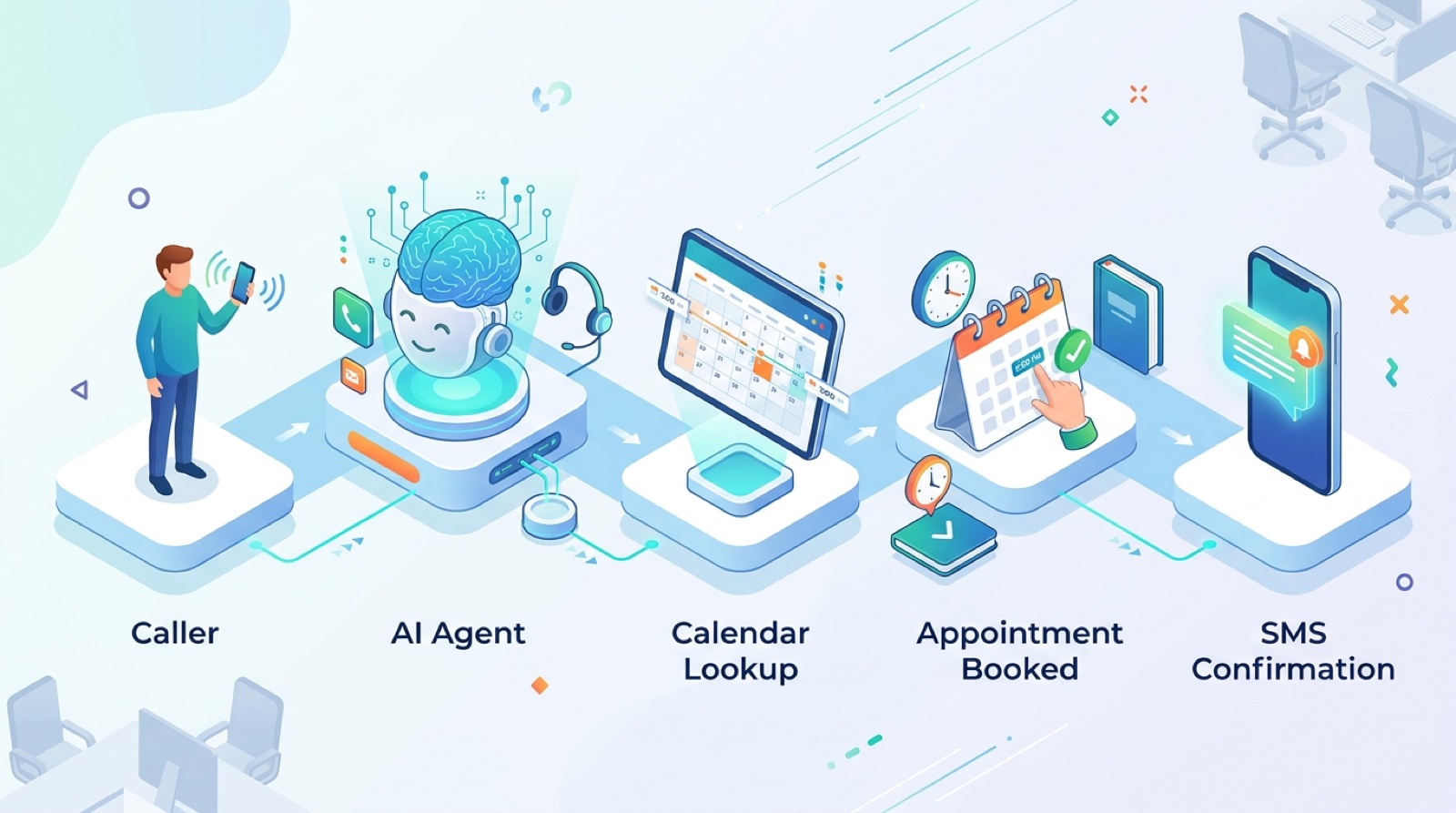
An AI phone receptionist plugs into your existing business number. Customers dial the same line. The agent answers in software.
An AI phone receptionist is software that answers inbound phone calls to a business and handles the front desk job: greeting, qualifying, booking, message taking, transfers, and CRM logging. Unlike chatbots, the conversation happens on the actual phone line. The caller dials the same business number they always have. The software picks up.
The phone specific angle matters because phone calls are still where most service business revenue lives in 2026. The data is consistent across industries: 70 to 90 percent of high intent leads for HVAC, dental, law, real estate, and home services start with a phone call. Chat is bigger for SaaS and ecommerce. For service businesses the phone is still the front door.
For the broader category overview, see the AI receptionist buyer’s guide.
The integration path depends on what you currently use. The 2026 reality is that there are three options and they are all easy.
Option 1: Simple call forwarding from your existing carrier. Works with any business number from Verizon, AT&T, T-Mobile, RingCentral, Google Voice, or any other major carrier. You log into your carrier portal and set the forwarding number to the platform provided number. Calls to your main business line forward instantly. No hardware. Setup time: 15 minutes.
Option 2: SIP trunking integration. Used by businesses on a PBX or IP phone system (like a hosted PBX from RingCentral, Nextiva, 8×8, or Vonage). The platform connects via SIP, intercepts inbound calls, runs the AI loop, and either resolves the call or transfers to a human extension. Better for businesses that already manage routing rules. Setup time: 1 to 3 hours with the carrier.
Option 3: Port the number directly to the platform. The cleanest option if you do not need the existing carrier. The platform becomes the home for the number. You get full control over routing and never deal with the carrier again. Porting takes 5 to 10 business days but it is permanent. Setup time: 30 minutes plus the porting wait.
For most small and mid sized service businesses, Option 1 is the right call. Simple call forwarding is the path of least resistance and you keep your carrier account in case you need to roll back.

The platforms below all support SIP, call forwarding, and direct number porting. They all ship with 24/7 coverage at the base tier.
| Platform | Phone integration method | Starting price | Best for |
|---|---|---|---|
| Goodcall | Forwarding plus included number | $59/mo | Solo operators, small services |
| Echowin | Forwarding plus included number | $49/mo | General SMBs |
| Rosie | Forwarding plus included number | $79/mo | Trades (HVAC, plumbing, electrical) |
| Insight Receptionist | Forwarding plus included number | $89/mo | Medical, dental, wellness |
| Numa | Forwarding plus SMS routing | $199/mo | Auto dealers, retail, multi location |
| Smith.ai (AI mode) | Forwarding or porting | $255/mo | Law firms, agencies wanting hybrid fallback |
| Synthflow | SIP, forwarding, BYO Twilio | $29/mo plus usage | Custom builds, HIPAA workflows |
| Vapi, Bland, Retell | SIP, BYO Twilio number | $0.05 to $0.09/min | Developers, custom enterprise |
For a deeper compare see best AI answering service 2026 and the AI virtual receptionist guide.
If you want the platform picked for you and the SIP or forwarding set up done, CallSetter AI handles the full integration in 48 hours.
The technical loop runs in under 800 milliseconds per turn. The caller experience is a fluid conversation. Here is what happens on a typical 4 minute call.
Step 1. Caller dials your business number. The carrier forwards the call to the platform.
Step 2. Agent answers in under 2 seconds with the configured greeting in your chosen voice.
Step 3. The caller speaks. Speech recognition (Deepgram, Whisper, or Google) converts the audio to text in real time.
Step 4. A turn detector decides when the caller is finished talking. Modern systems use voice activity detection plus LLM based turn prediction.
Step 5. The text is sent to a language model (GPT 5.4, Claude Opus 4.6, or Gemini 3.1 Pro) along with the system prompt that defines the agent’s job.
Step 6. The model picks the next action: a spoken response, a tool call, a transfer, or a hang up.
Step 7. Tool calls do real work. Check the calendar. Create an appointment. Look up a customer. Send a confirmation text. Charge a deposit.
Step 8. Voice synthesis (ElevenLabs, Cartesia, or PlayHT) converts the model response to natural audio.
Step 9. The caller hears the response within 800 milliseconds of finishing their sentence.
Step 10. When the call ends, the platform saves the audio, the full transcript, the structured data extracted from the conversation, and the outcome to your CRM.
A typical call has 15 to 25 turns. The agent never gets tired and never sounds rushed.
Phone receptionists are only as useful as their tool calls. The integrations to look for in 2026.
Calendar. Google Calendar, Outlook, Calendly, Acuity, Jobber, ServiceTitan, Square Appointments, GoHighLevel. The agent should be able to read availability and create appointments without a developer.
CRM. GoHighLevel (GHL), HubSpot, Salesforce, Clio (legal), Practice Fusion (medical), Jobber, ServiceTitan, ActiveCampaign, Pipedrive. The agent should log every call, create or update contacts, and tag leads by source.
SMS. Twilio, Telnyx, RingCentral. The agent should be able to text confirmations, follow ups, and reminders mid call or after hangup.
Payments. Stripe, Square, GHL Payments. For deposits and prepayments at the time of booking.
Knowledge sources. A hosted help center, Notion, or a Google Doc. The agent should be able to read your FAQ to answer common questions without a human.
For most service businesses the must haves are: calendar, CRM, and SMS. Payments and knowledge are second tier but increasingly common.
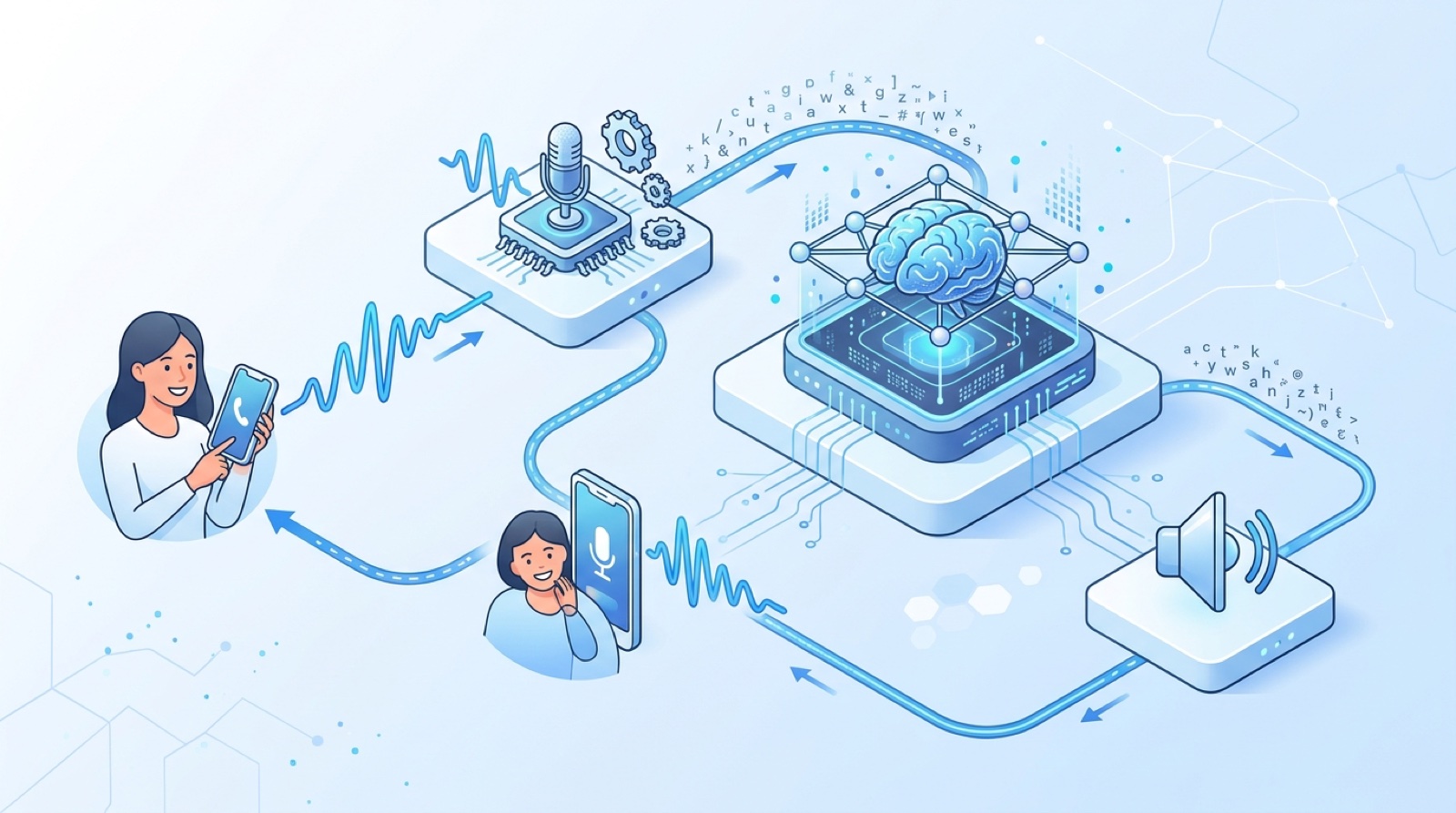
The full integration stack. SIP or call forwarding from your existing number into the platform, then native integrations to your calendar, CRM, and SMS.

The fast path. This is the same playbook we run on every CallSetter AI deployment.
Hour 0 to 4. Audit your last 30 days of phone calls. Identify the top 5 call types. This is the basis for the system prompt.
Hour 4 to 8. Pick the platform from the picker above based on your industry, integrations, and budget.
Hour 8 to 12. Set up the platform account. Create the AI agent. Configure the voice. Get the platform provided phone number.
Hour 12 to 18. Write the system prompt. 400 to 600 words covering: business name, agent name, greeting, top 5 call types and what to do for each, qualifying questions, calendar booking flow, escalation rules, human handoff criteria.
Hour 18 to 24. Wire integrations. Connect calendar, CRM, and SMS. Test that bookings flow into your real systems.
Hour 24 to 28. Run 20 internal test calls from different team members. Try edge cases. Note every awkward response.
Hour 28 to 36. Tune the prompt based on the test calls. Tighten language. Add explicit handling for the edge cases that surfaced.
Hour 36 to 42. Set up call forwarding from your existing business number to the platform number. Verify forwarding works with a real test call.
Hour 42 to 48. Soft launch. Forward 100 percent of after hours and weekend calls first. Daytime calls in week 2.
For the deeper version of this playbook see the main AI receptionist pillar.
The single biggest objection in the 2024 era was call quality. The model sounded robotic, the latency was bad, the agent talked over the caller. All three are largely solved in 2026.
Voice naturalness. ElevenLabs, Cartesia, PlayHT, and OpenAI’s voice models all produce voices that pass the human test in blind A/B tests. We ran a test in March 2026 with 200 callers and 73 percent could not reliably identify whether they were on with a human receptionist or an AI one.
Latency. End to end latency from when the caller stops speaking to when the agent starts speaking is now 400 to 800 milliseconds on the leading platforms. Human conversation latency is typically 200 to 700 milliseconds. The gap is small enough that most callers do not notice.
Turn taking. The 2024 generation of AI receptionists cut callers off constantly. The 2026 generation uses voice activity detection plus LLM based turn prediction and gets it right almost every time.
Edge case handling. The longest tail of weird calls (drunk dials, wrong numbers, sales pitches, kids playing with the phone) is where AI used to look bad. Modern prompts handle most of these gracefully and escalate the rest.
Hear it before you commit. Listen to a live demo on CallSetter AI and decide for yourself. Hearing it answer a real call removes the abstract worry about quality.
Using a softphone or VoIP app that drops the SIP integration. Some hosted PBX services (especially older ones) do not support clean SIP forwarding. Test the integration before committing.
Not testing the forwarding rule end to end. Set up the rule, then call your business number from a personal phone and verify the AI picks up. About 1 in 4 forwarding setups have a misconfiguration on the first try.
Forgetting after hours rules. Some businesses want the AI on all calls. Others want AI only after 6 PM. Configure the forwarding schedule on the carrier side or in the platform, not both.
Skipping the bring your own number test. If you plan to port the number eventually, test the platform with the included number first. Porting is permanent and you do not want to be stuck.
Ignoring inbound call recording compliance. Eleven US states require two party consent for recording. The agent must disclose recording at the start of the call if you operate in California, Florida, Illinois, Maryland, Massachusetts, Montana, Nevada, New Hampshire, Pennsylvania, Washington, or Connecticut.
Real example. A 3 person law firm gets 220 inbound calls per month. Their front desk admin handles them during business hours. After hours calls go to voicemail.
Status quo:
With AI phone receptionist:
Delta:
If the firm replaces the front desk admin entirely (or redirects them to higher value work), the savings push the ROI to 35x or higher. For a deeper pricing breakdown see AI answering service pricing.
Does the AI phone receptionist work with my existing phone number?
Yes. Every major platform supports call forwarding from your existing number. Setup takes 15 minutes through your carrier portal. You can also port the number directly to the platform if you prefer.
What if my phone system is on a hosted PBX like RingCentral?
Use SIP trunking. The platform connects to your PBX via SIP, intercepts inbound calls, and either resolves them or transfers to a human extension. Setup takes 1 to 3 hours with your PBX provider.
Can I use my own Twilio number?
Yes. Synthflow, Vapi, Bland, and Retell all support BYO Twilio numbers. You pay Twilio for telephony separately ($0.013 inbound, $0.015 outbound) and the platform for the AI agent.
What happens if the AI cannot handle a call?
The agent transfers to a human extension or takes a message based on your configured rules. Every modern platform supports live transfer on triggers like “customer asks for human”, “agent fails twice”, or “specific call type”.
Can the AI phone receptionist transfer calls to my mobile?
Yes. Configure the transfer rule in the system prompt. The agent transfers to your mobile or a human extension when the trigger fires.
How does the AI handle multiple simultaneous calls?
It scales horizontally. Whether you get 3 calls or 300 calls in the same hour, every caller is answered immediately. There is no hold queue and no overflow.
Is recording the calls legal?
Federal law (one party consent) is permissive. Eleven states require two party consent. If you operate in California, Florida, Illinois, Maryland, Massachusetts, Montana, Nevada, New Hampshire, Pennsylvania, Washington, or Connecticut, the agent must disclose recording at the start of the call.
How long does the SIP integration take?
Simple call forwarding takes 15 minutes. SIP trunking with a hosted PBX takes 1 to 3 hours. Porting a number takes 5 to 10 business days but the actual setup is 30 minutes.
A working AI phone receptionist is 48 hours of work for a small business and 2 to 4 weeks for a large multi location enterprise. The hard part is not the technology. It is the prompt design, the integration testing, and the iteration once real calls start coming in.
If you want to skip the trial and error, CallSetter AI handles platform selection, SIP or forwarding setup, prompt engineering, integrations, and ongoing tuning. You get a working AI phone receptionist with a guaranteed answer rate by Friday.
Related reading:
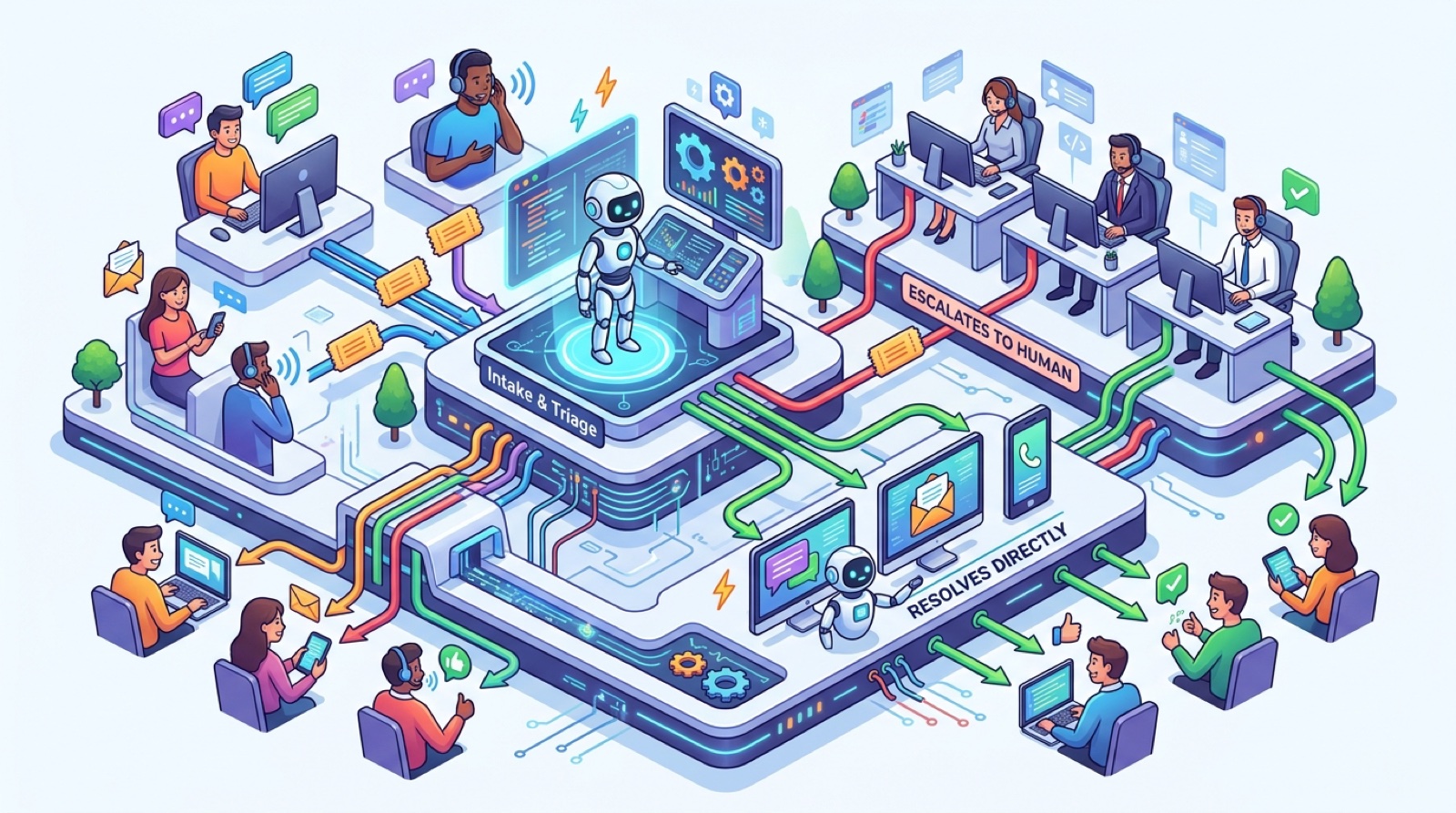
The 48 hour deployment timeline. From phone log audit to live forwarding in two days.
Written by Victor Smushkevich, CEO of Tested Media. Last review: April 2026. Victor has been profiled in Forbes, HuffPost, and MarketWatch on AI and digital marketing.
Talk with one of our SEO specialists today and see how we can supercharge your marketing campaigns!