TL;DR An AI receptionist is software that answers your business phone, greets callers, takes messages, books appointments, and routes calls without a human at the front desk. The 2026 market splits into purpose built platforms (Goodcall, Rosie, Numa, Echowin, Insight Receptionist), hybrid human plus AI services (Smith.ai, Ruby Receptionists), and developer focused voice platforms (Synthflow, Bland, Vapi, Retell) configured as receptionists. Real pricing runs from $50 a month to $500 a month, with most service businesses landing around $150 to $250. If you want one running in 48 hours without picking the wrong platform, CallSetter AI deploys and manages AI receptionists for service businesses on the right stack for your call volume.
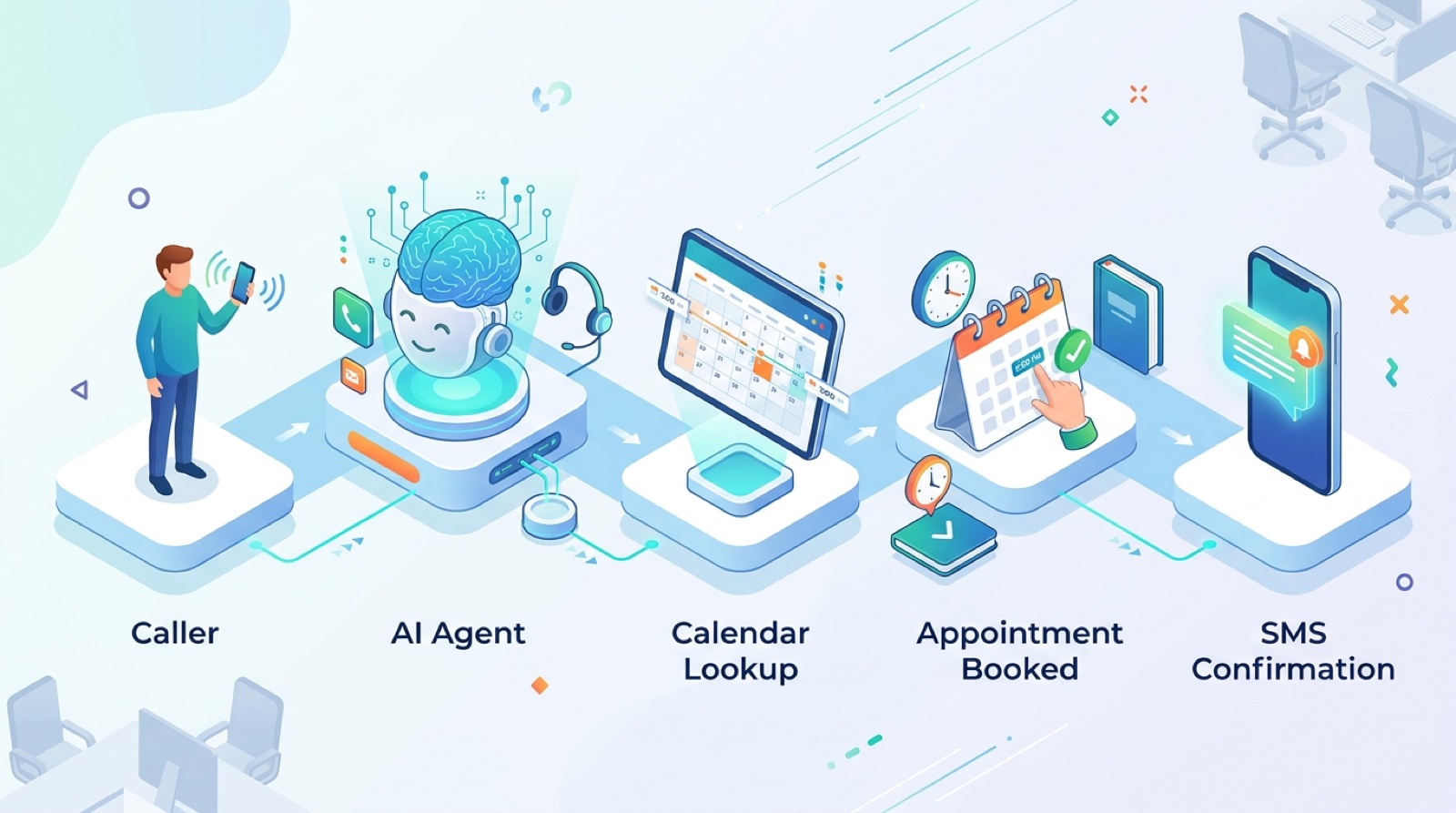
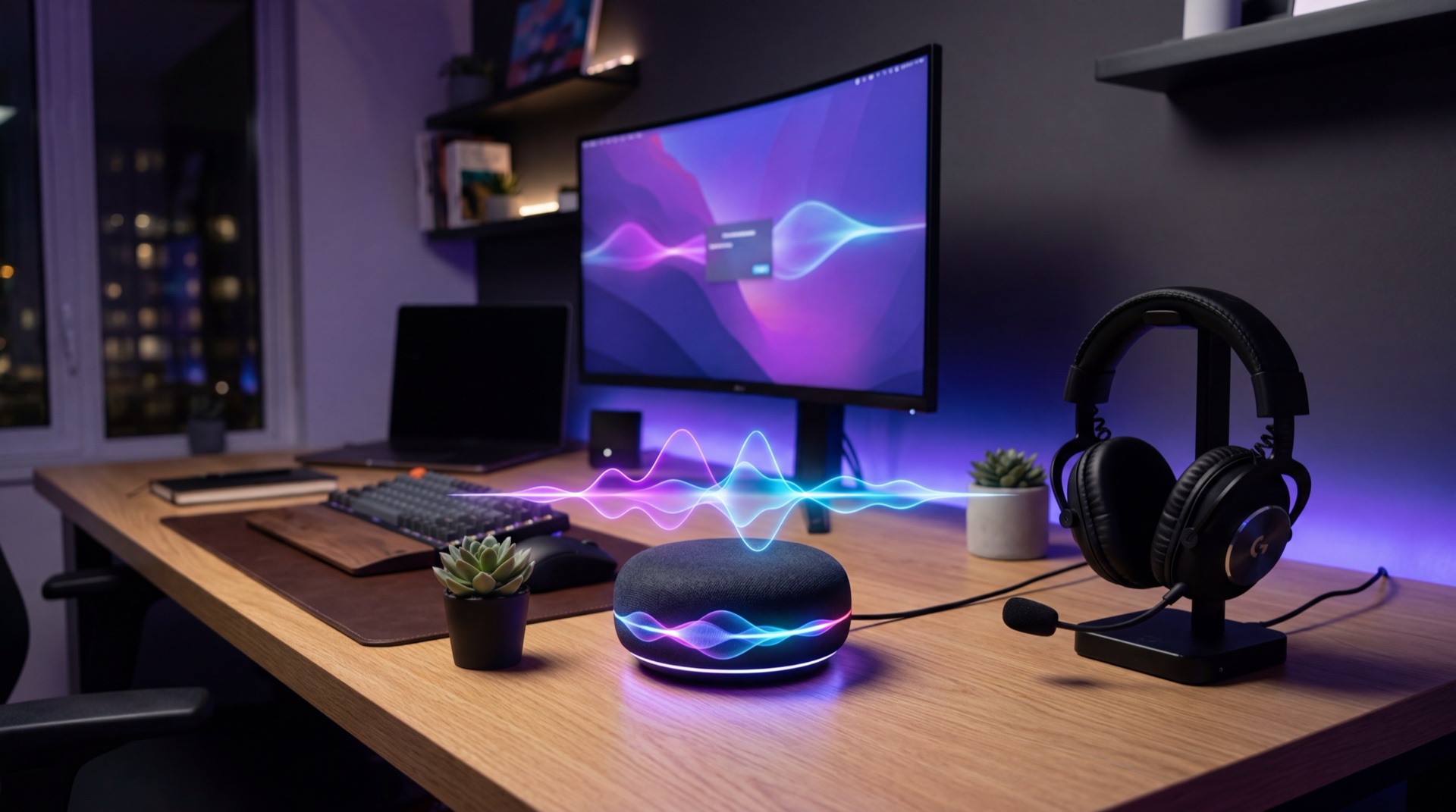
A 2026 AI receptionist answers, qualifies, books, and logs every call without a single missed ring or coffee break.
An AI receptionist is a software based phone agent that does the job of a front desk receptionist on inbound calls. It picks up on the first ring, greets the caller in your business voice, asks intake questions, books appointments into your calendar, transfers urgent calls to a human, and logs every interaction in your CRM. It does all of this 24 hours a day, in any language you configure, without a sick day.
The job of a receptionist has always been the same. Answer fast. Sound like the brand. Get the caller what they need or take a clean message. The difference in 2026 is that the software finally does the job well enough that customers cannot tell, and the cost has dropped to a fraction of a single human salary.
A modern ai virtual receptionist is built on the same stack as a ai voice agent. Speech recognition turns the caller’s words into text. A language model like GPT 5.4 or Claude Opus 4.6 decides what to say next. A voice engine like ElevenLabs or Cartesia turns that response into a natural human voice. The whole loop runs in under 800 milliseconds.
An AI receptionist is not a phone tree. It is not press 1 for sales, press 2 for support. It is a fluid conversation. The caller talks the way they would talk to a person, and the agent responds in kind, asks follow ups, handles interruptions, and adapts when the topic shifts.
Want to hear one answer a real call right now? Listen to the live demos at CallSetter AI before you keep reading. Hearing one in action is worth more than any description.
Get the categories straight before you compare platforms. People use these terms interchangeably and they are not the same thing.
| Option | What it is | Cost per month | Answers in | Best for |
|---|---|---|---|---|
| Human receptionist (in house) | Full time front desk employee | $3,000 to $4,500 | Business hours only | Practices that need a face at the front desk |
| Traditional answering service | Call center of human operators taking messages | $200 to $1,500 | 30 to 90 seconds | Simple after hours message taking |
| Hybrid (Smith.ai, Ruby) | Human operators with AI assist on routing | $300 to $1,200 | 8 to 20 seconds | Brands that need warm human voice |
| AI answering service | Pure software, AI voice answering and booking | $50 to $500 | Under 2 seconds | Service businesses wanting 24/7 coverage at low cost |
| AI receptionist (full) | Pure software handling intake, booking, transfers, CRM logging end to end | $100 to $500 | Under 2 seconds | Service businesses replacing the front desk |
The big shift in 2026 is that the ai answering service and AI receptionist categories have basically merged. Five years ago, AI answering services only took messages. The 2026 generation handles full intake, booking, payments, transfers, and CRM logging. There is no functional difference. The labels survive because customers search both.
The categories that still meaningfully differ are pure human services (Ruby Receptionists), hybrid human plus AI (Smith.ai), and pure AI (Goodcall, Rosie, Numa, Synthflow). For most service businesses with predictable inbound patterns, pure AI is the right answer in 2026. For brands where voice warmth still matters more than cost, hybrid is the safer pick. For businesses that need a face at the desk, in house is still the answer.
For a deeper dive, read AI answering service vs human.
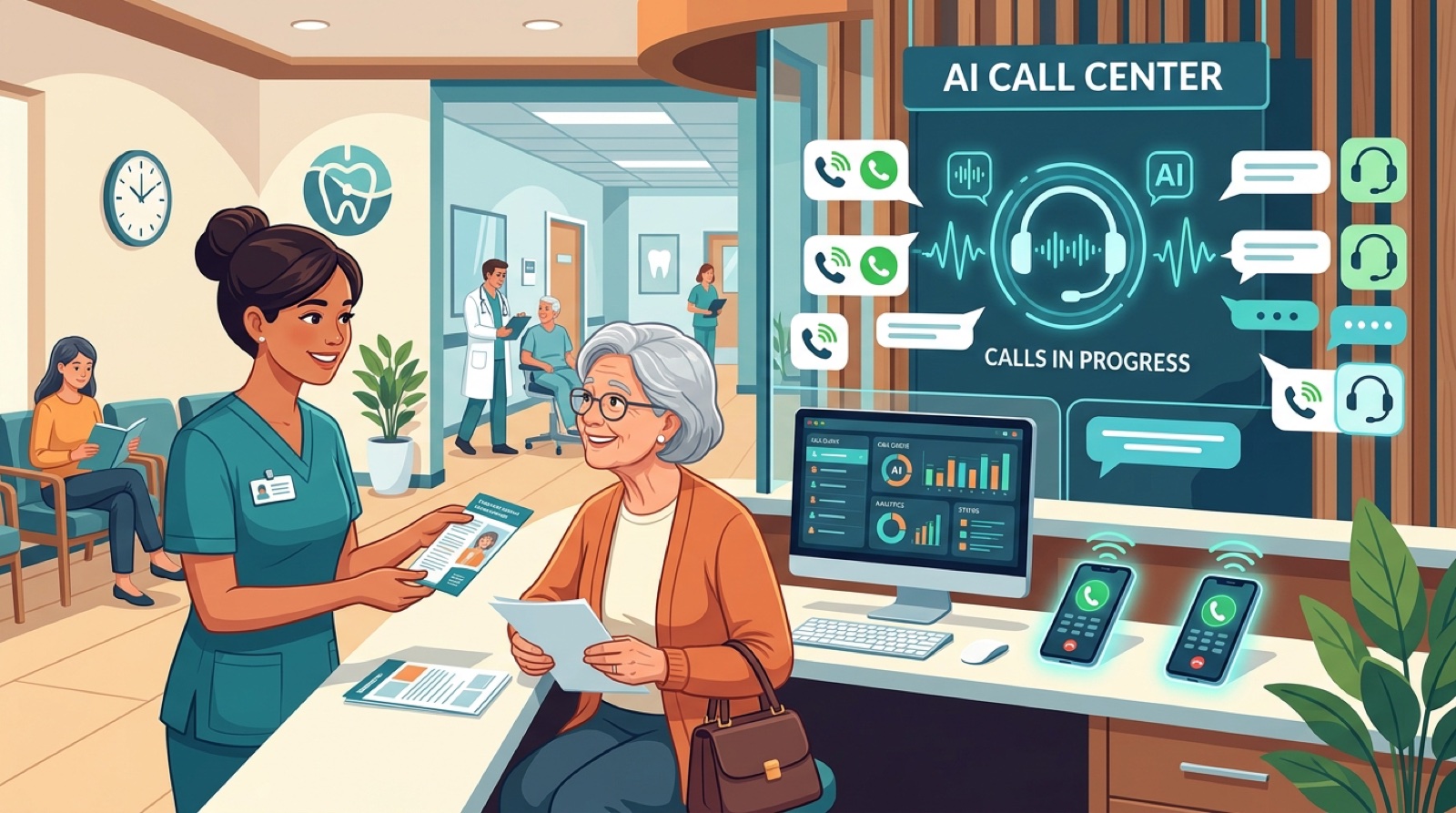
When someone calls your business number, the call gets forwarded to your AI receptionist platform. The next 800 milliseconds look like this.
Step 1: The platform answers. The greeting plays in the voice you configured, then the agent opens with your scripted line. “Thanks for calling Ace Dental, how can I help you today?”
Step 2: Audio streams into a speech recognition model. As the caller talks, the words appear as text on the platform’s servers. Modern systems use Deepgram, Whisper, or Google Speech to Text and handle accents, background noise, and overlapping speech.
Step 3: A turn detector decides when the caller is done. The agent needs to know if a 1.5 second pause means “I am thinking” or “I am done.” The 2026 generation uses voice activity detection plus LLM based turn prediction and gets it right almost every time.
Step 4: The text gets sent to a language model with the system prompt. The prompt tells the model who it is, what business it represents, the call goal, the questions to ask, and what tools it can call.
Step 5: The model picks the next action. A spoken response, a tool call, a transfer, or a hang up. Tools check the calendar, create appointments, look up a patient, send SMS, or save the transcript to your CRM.
Step 6: Voice synthesis plays the response. ElevenLabs, Cartesia, or PlayHT converts the response into audio within 800 milliseconds of the caller finishing.
Step 7: Every turn is logged. When the call ends, the platform saves the audio, the transcript, the structured data (caller name, callback number, appointment time, intent), and the outcome. Most platforms push this directly into your CRM.
A typical 4 minute call has 15 to 25 turns. The agent never gets tired and never forgets to ask for the insurance card.
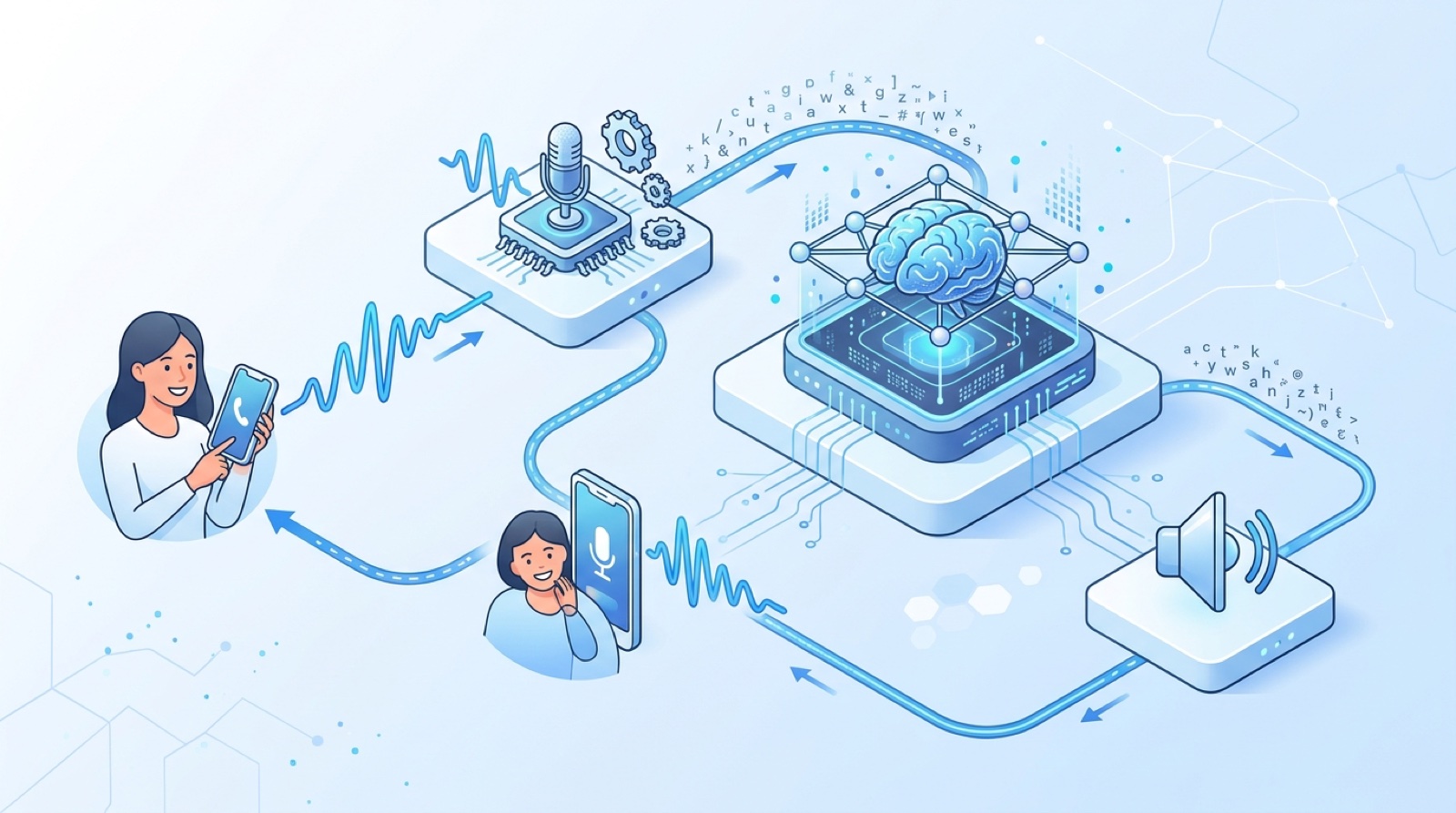
The full AI receptionist call loop. Every inbound call passes through speech recognition, language model reasoning, tool calls, and structured CRM logging in under one second per turn.
The 2026 market has three layers: purpose built receptionist platforms (Goodcall, Rosie, Numa, Echowin, Insight), hybrid services that added AI to a human team (Smith.ai), and general purpose voice platforms configured as receptionists (Synthflow, Bland, Vapi, Retell). Here is the head to head based on real pricing and testing across 30+ deployments.
| Platform | Type | Starting price | Best for | Native CRM | 24/7 |
|---|---|---|---|---|---|
| Goodcall | Purpose built | $59/mo | Solo operators, small services | HubSpot, Zapier, Google Calendar | Yes |
| Rosie | Purpose built | $79/mo | Home services contractors | Jobber, ServiceTitan, Google Cal | Yes |
| Numa | AI + SMS hybrid | $199/mo | Auto dealers, retail, multi location | DMS, retail POS | Yes |
| Echowin | Purpose built | $49/mo | SMBs wanting fast setup | Zapier, calendars, webhook | Yes |
| Insight Receptionist | Purpose built | $89/mo | Professional services, wellness | Calendly, Acuity, GHL | Yes |
| Smith.ai (AI mode) | Hybrid | $255/mo | Law firms, agencies | Clio, Salesforce, HubSpot | Yes |
| Synthflow | General voice | $29 + usage | No code custom flows | 50+ native | Yes |
| Bland AI | General voice | $0.09/min | Outbound + inbound combo | Native API | Yes |
| Vapi | General voice | $0.05/min | Developers building custom | API only | Yes |
| Retell AI | General voice | $0.07/min | Cheapest per minute | API only | Yes |
Quick picker by use case:
We dive deeper into each in our standalone guides:
Most pricing pages list a starting price and stop there. The real cost stack has four layers. Here is what each one actually costs in 2026.
Layer 1: Platform subscription. Purpose built platforms charge a monthly base fee with included minutes or calls. Goodcall starts at $59 with 100 minutes. Rosie is $79 with 150 minutes. Echowin is $49 with 100 minutes. Numa is $199 because it bundles SMS and dealer features. Insight Receptionist is $89 with 200 minutes. Smith.ai AI mode is $255 with 30 calls.
Layer 2: Overage minutes or calls. Goodcall charges $0.30 per overage minute. Rosie is $0.45. Echowin is $0.25. Smith.ai charges $7 per AI call after the first 30. The general purpose platforms (Synthflow, Vapi, Bland, Retell) skip the base subscription and charge $0.05 to $0.20 per minute.
Layer 3: Phone numbers and telephony. Most platforms include one local number free. Additional numbers run $1 to $3 a month. Toll free is $5. Bring your own Twilio number and you pay $0.013 inbound and $0.015 outbound on top of the platform fee.
Layer 4: Setup or done for you. Building a Synthflow or Vapi receptionist takes 20 to 60 hours for the first one. The no code platforms (Goodcall, Rosie, Echowin) ship in 2 to 4 hours. A done for you agency like CallSetter AI charges a flat monthly fee that bundles platform, build, tuning, and ongoing support.
Here is what real businesses actually pay per month.
| Business size | Calls per month | Best fit | Realistic monthly cost |
|---|---|---|---|
| Solo operator | 50 to 100 | Echowin or Goodcall starter | $49 to $79 |
| Small practice (dental, vet, salon) | 200 to 400 | Goodcall, Rosie, or Insight mid tier | $129 to $199 |
| Mid size (HVAC, law, auto repair) | 500 to 1,000 | Rosie pro, Insight, or managed CallSetter AI | $249 to $399 |
| High volume (multi location) | 1,500 to 3,000 | Smith.ai AI, Numa, custom Synthflow | $400 to $700 |
| Enterprise (call center scale) | 5,000+ | Custom Vapi or Retell, CallSetter enterprise | $1,000 to $5,000+ |
For a deeper breakdown by tier, read AI answering service pricing.
See exactly how CallSetter AI prices managed AI receptionists.

Side by side monthly cost comparison. A 200 call dental practice pays $129 to $300 for an AI receptionist versus $3,800 for a full time front desk hire.
Here is the real math for a typical service business. The example is a dental practice with 200 inbound calls a month, 4 minutes average call length, $300 average revenue per booked appointment, and a 60% booking rate when calls actually get answered.
Status quo (human only, business hours):
With an AI receptionist (24/7 coverage):
The delta:
This is the math driving the 2026 AI receptionist boom. A service business that misses 30% of inbound calls leaves five figures of monthly revenue on the table. The math gets even better when the average ticket is high. A roofing company where the average job is $12,000 recovers a single missed call and pays for the AI receptionist for the next two years.
The verticals below are where we have measured the strongest ROI in real client deployments.
Front desk staff at a dental practice spend 40% of their day on the phone handling booking, rescheduling, insurance verification, and intake. An AI receptionist for a dental office absorbs all of that and frees the front desk to focus on in office patient experience. The biggest wins are after hours new patient calls and same day cancellation rebooking.
Compliance is the only consideration that takes work. Use a HIPAA configured platform, sign a BAA before storing PHI, and turn off recording for any conversation that contains medical history. Insight Receptionist, Synthflow, and Smith.ai all support HIPAA compliant deployments. Bland and Retell offer BAAs.
Law firm intake is the bottleneck for personal injury, family law, and immigration practices. Clients in distress need to talk to someone immediately or they call the next firm on the list. The first firm that picks up wins the case. AI receptionists handle the first 10 to 20 minutes of intake, capture the case facts, run conflict checks, and only escalate to a human attorney when the case meets the firm’s criteria. Smith.ai built its reputation on legal intake and the AI tier is now the cheapest way to the same outcome.
The killer use case is after hours call answering. Home service businesses lose 30 to 50% of inbound calls because they happen between 5 PM and 8 AM. An AI receptionist booking those into morning appointments captures revenue that was previously gone forever. Average ROI we have measured for HVAC businesses: 8x to 14x the monthly platform cost. Rosie is purpose built for the trades with Jobber and ServiceTitan integrations.
Cold lead follow up is where AI receptionists earn their keep. A team gets 40 leads from Zillow on a Saturday and a human agent cannot call every one within 10 minutes. An AI receptionist calls every lead in under 60 seconds, qualifies them on budget, timeline, and motivation, and only books showings for the ones who are real.
Service department booking at a dealer is mostly call based. AI receptionists handle the entire flow, look up the vehicle in the DMS, and create the work order. Numa dominates auto dealers. For independent shops, a Synthflow or Goodcall build hits the same outcome at a quarter of the cost. Med spas and salons live on appointment volume. Insight Receptionist is well configured for this segment with native Calendly, Acuity, and GHL integrations.
Want this running for your business in 48 hours? CallSetter AI builds, deploys, and operates AI receptionists for service businesses. We handle platform selection, prompt, integrations, HIPAA, and ongoing tuning. You get a working AI receptionist with a guaranteed answer rate by Friday.
The fastest path to a working AI receptionist for a service business. This is the playbook we run on every CallSetter AI deployment.
Day 1: Define the goal. Pick one specific outcome. For a dental office “book new patient appointments after hours.” For a law firm “qualify personal injury intake calls.” For HVAC “book service appointments and route emergencies.” Skip the catch all goal of “answer all calls perfectly.” Pick one and ship it first.
Day 2: Choose the platform. Use the picker above. Goodcall, Rosie, Echowin, or Insight Receptionist for most service businesses. Synthflow or a managed build for HIPAA sensitive work. Vapi or Retell for developers who want the cheapest per minute cost.
Day 3: Write the system prompt. Start with 300 to 500 words. Define the agent’s name, business name, goal, intake questions, what to do once it has the answers, and how to escalate to a human. Resist the urge to go to 5,000 words.
Day 4: Wire up the integrations. Connect the calendar (Google, Calendly, Acuity, Jobber) and the CRM (HubSpot, GHL, Clio, Salesforce). Test that bookings flow into your real system and transcripts land in the right CRM record.
Day 5: Run 20 test calls. Have team members call from different numbers. Try to break it. Try edge cases. Note every awkward response.
Day 6: Tune the prompt and add edge case handling. The first 20 test calls reveal where the prompt is weak. Tighten the language. Add explicit instructions for the edge cases.
Day 7: Go live with limited routing. Send 20 to 30% of calls to the agent the first week. Monitor outcomes daily. If the answer rate and booking rate look good, increase the percentage. By week three you can be at 100%.
If you do not have a week, CallSetter AI does all of this in 48 hours on platforms we have already validated for your industry.
After 100+ deployments these are the patterns that kill AI receptionist projects.
1. Trying to make the agent do too much on day one. A first deployment should solve one specific call type. After hours new patient booking. Lead intake. Service appointment scheduling. Pick the one with the highest revenue impact and ship that.
2. A 5,000 word system prompt. The longer the prompt, the more the model contradicts itself. Tight 300 to 600 word prompts outperform sprawling ones almost every time.
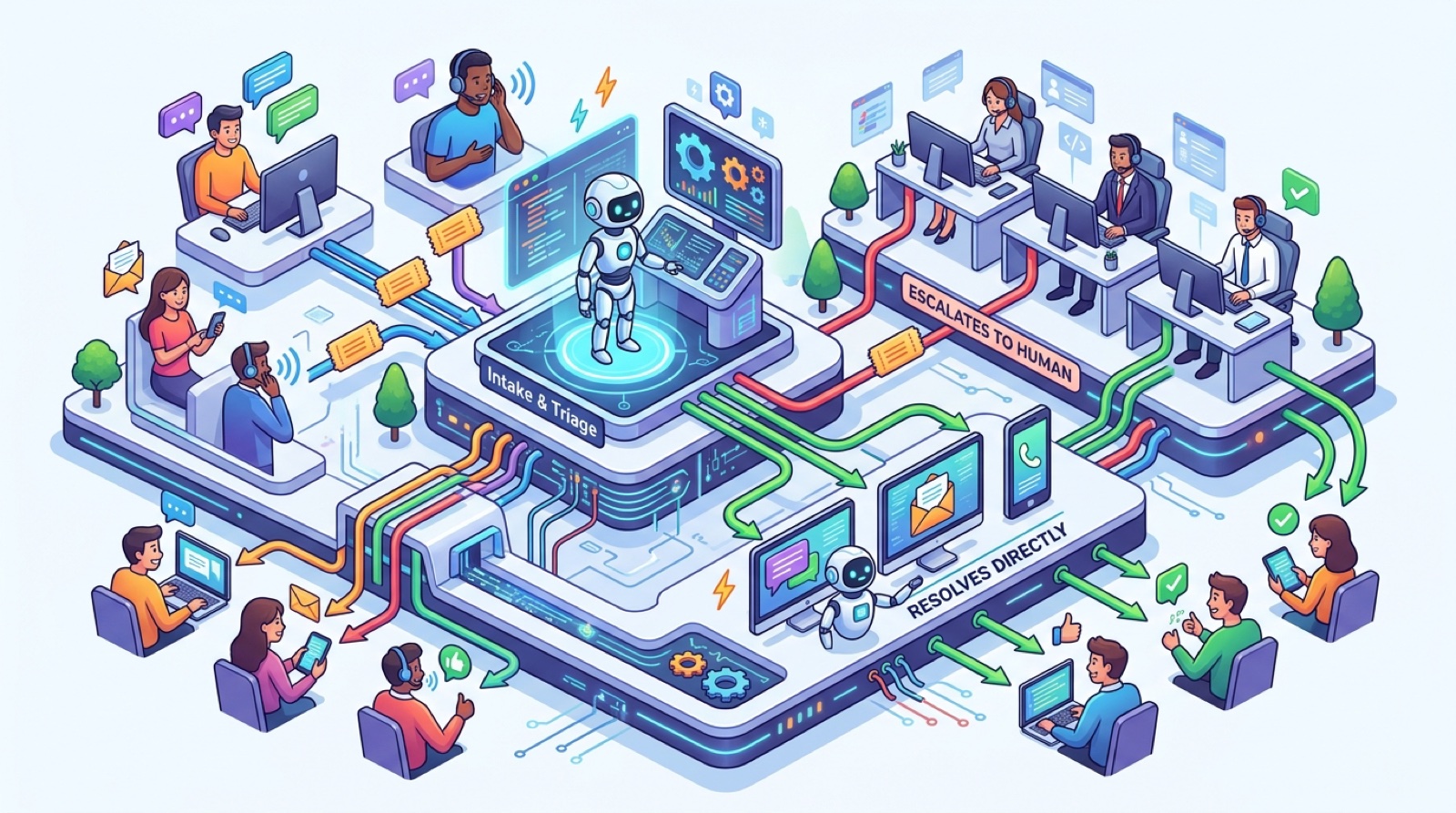
3. No human escalation path. Every AI receptionist needs a clear way to hand off. If the caller says “I want to talk to a person,” the agent should transfer immediately. If the caller asks something out of scope, take a message and call back. Without this, frustrated callers hang up and never come back.
4. Skipping the test calls. Teams that ship without 20 internal test calls always regret it. The first 20 calls reveal 80% of the prompt issues.
5. Not measuring outcomes. The metric that matters is not “calls handled.” It is “appointments booked” or “qualified leads captured.” Pick the right KPI on day one.
6. Ignoring HIPAA or recording disclosure laws. If you are in healthcare, you need a BAA before storing any PHI. In two party consent states the agent must disclose recording. Get a lawyer involved before you ship in regulated industries.
7. Setting and forgetting. AI receptionists are not “deploy once and walk away.” Plan to spend 1 to 2 hours a month tuning the prompt and reviewing transcripts, or hire someone to do it for you.
Compliance is the biggest gating factor for healthcare and legal AI receptionist deployments.
HIPAA basics. If your AI receptionist will handle Protected Health Information (patient names tied to medical conditions, appointment reasons, insurance details), you need a Business Associate Agreement (BAA) with every vendor in the stack. That includes the receptionist platform, the LLM provider, speech recognition, voice synthesis, telephony, and the CRM that stores the transcript.
Platforms that sign BAAs in 2026: Insight Receptionist (business tier), Smith.ai (AI mode), Synthflow (enterprise, added early 2026), Bland AI, Retell AI, and Vapi (enterprise).
Goodcall, Rosie, Echowin, and Numa do not currently sign BAAs as of April 2026. Not the right choice for medical practices storing PHI in the call log.
Recording disclosure. Federal law is one party consent, but 11 US states require two party consent including California, Florida, Illinois, Maryland, Massachusetts, Montana, Nevada, New Hampshire, Pennsylvania, Washington, and Connecticut. The agent needs to disclose recording at the start of the call in those states.
TCPA for outbound. If you use the receptionist for outbound calls, TCPA applies. You need explicit consent for marketing calls and specific time of day rules. This is on you.
The short rule: if you are in healthcare, legal, or finance, hire a lawyer before you deploy. Platform vendors sign the paperwork but they are not responsible for your compliance posture.
Can callers tell they are talking to an AI receptionist?
In 2026 most cannot, especially on calls under 3 minutes. We ran a blind A/B test in March 2026 with 200 callers and 73% could not reliably identify whether they were speaking to a human receptionist or an AI one. Some states require disclosure for recording. Always check your local law.
What happens if the AI receptionist does not understand the caller?
A well configured agent says “I want to make sure I get this right, can you say that again?” once. If it still cannot understand, it offers to transfer to a human or take a message. Bad agents loop on the same misunderstanding which is why prompt tuning matters.
Does the AI receptionist integrate with my existing phone number?
Yes. All major receptionist platforms forward calls from your existing business number using SIP trunking or simple call forwarding. Your customers dial the same number they always did.
What happens during high call volume?
Unlike a human receptionist who can only be on one call at a time, an AI receptionist scales horizontally. Whether you get 3 calls or 300 calls in the same hour, every caller gets answered immediately. There is no hold music.
How long does it take to deploy an AI receptionist?
DIY on a no code platform like Goodcall, Rosie, or Echowin takes 2 to 4 hours. DIY on a developer platform like Synthflow or Vapi takes 1 to 4 weeks. With a managed agency like CallSetter AI, 48 hours.
Is an AI receptionist HIPAA compliant?
Some platforms support HIPAA deployments and sign BAAs. Insight Receptionist, Smith.ai, Synthflow, Bland, Retell, and Vapi all offer this. Goodcall, Rosie, Echowin, and Numa currently do not. Always sign a BAA before storing PHI.
How much does a 24/7 AI receptionist really cost?
For a small business with 200 calls a month at 4 minutes average, expect $129 to $199 per month on a no code platform like Goodcall, Rosie, or Insight Receptionist. For a managed agency deployment expect $250 to $400 per month including platform, build, integrations, and tuning. Compared to a $3,800 per month full time receptionist, the math is obvious.
What if a caller asks something the AI does not know?
The agent should say “let me check on that and have someone call you back,” capture the question, create a callback task in your CRM, and end the call politely. Never let the agent guess at facts it does not have. This is the single most important rule for any production deployment.
If this guide was useful, dive into the next layer. Pick the platform you are leaning toward, the use case for your industry, or the comparison that helps you make the call.
AI receptionist deep dives:
Cross silo (related categories):
Industry playbooks:
Done for you:
This guide is updated quarterly with the latest AI receptionist platform pricing, features, and benchmarks. Last review: April 2026 by Victor Smushkevich, CEO and Founder of Tested Media. Victor has been profiled in Forbes, HuffPost, and MarketWatch on AI and digital marketing.
Ready to ship? Talk to the CallSetter AI team and have an AI receptionist answering every call to your business by Friday.
Browse all 9 guides, reviews, and playbooks in the AI Receptionist category. New articles added weekly.
Talk with one of our SEO specialists today and see how we can supercharge your marketing campaigns!