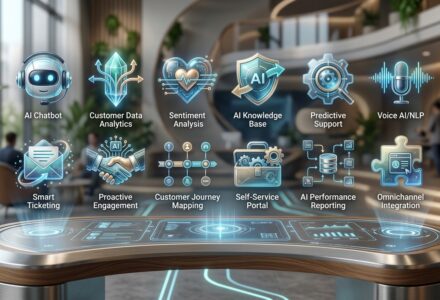
TL;DR AI customer service in 2026 is no longer a chatbot that bounces customers to a human. It is an autonomous agent that resolves 60 to 80 percent of tickets end to end, integrates directly with your billing, CRM, and order systems, and costs about $0.40 per resolution instead of $7.50 for a human agent. The platforms leading the market are Intercom Fin, Zendesk AI, Decagon, Sierra AI, Ada, Forethought, and Kustomer IQ. If you want the voice side of customer service handled in 48 hours, CallSetter AI builds and operates AI voice agents that pair with your chat stack.
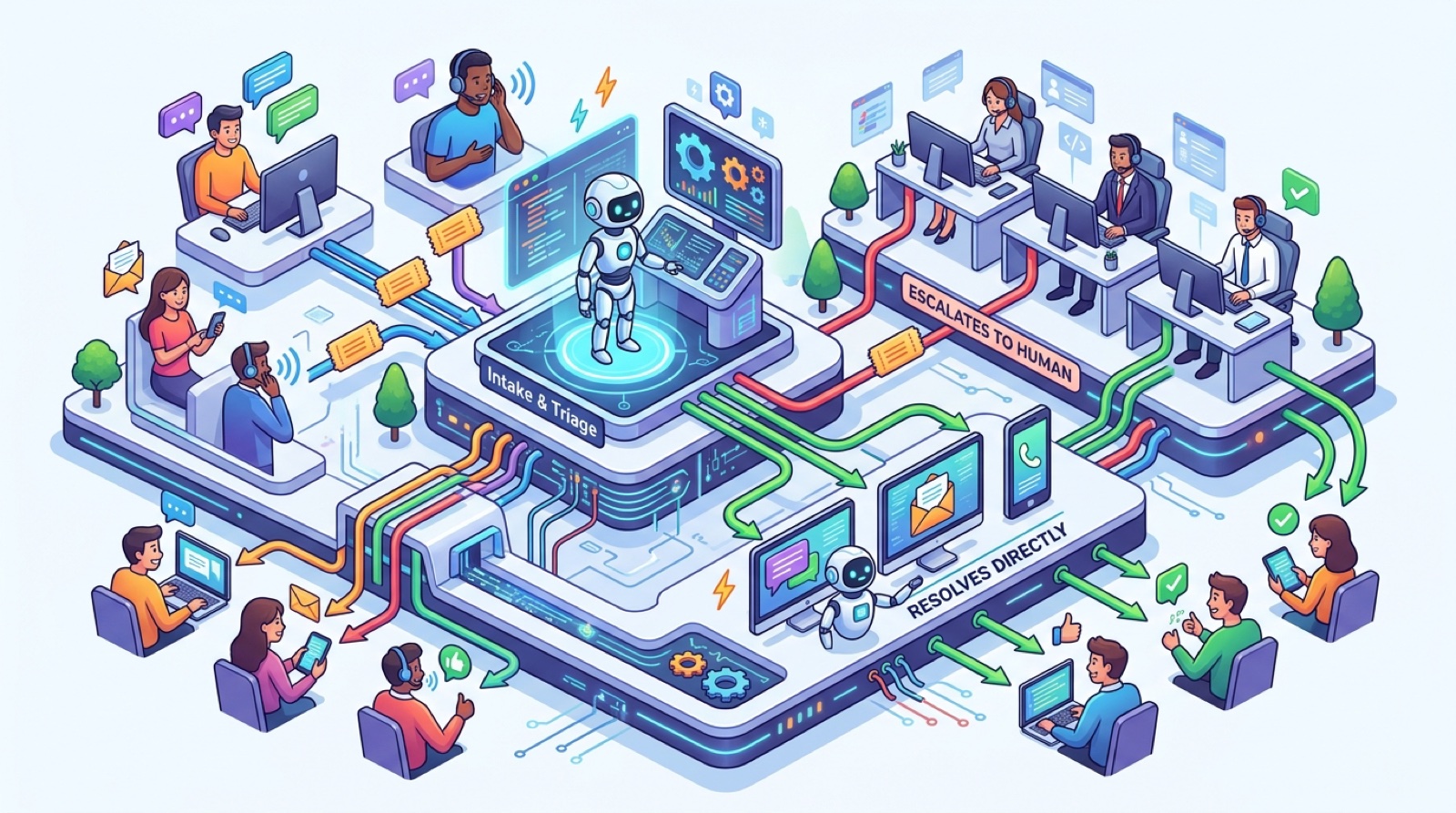
Modern AI customer service agents resolve the majority of tickets without human escalation by combining LLM reasoning with deep system integration.
AI customer service is software that handles customer questions, complaints, and account changes using large language models, retrieval, and tool calling instead of routing every interaction to a human agent. In 2026 the term covers four distinct surfaces: chat widgets on websites, in app messaging, email and ticket triage, and voice. The best deployments unify all four behind a single agent so the customer gets the same experience whether they message at midnight or call on a Saturday.
The technology stack has three layers. The first is an LLM that reasons about the conversation. GPT 5.4, Claude Opus 4.6, and Gemini 3.1 Pro are the workhorses. The second is a retrieval layer that pulls the right knowledge from your help center, internal docs, past tickets, and product database. The third is a tool layer that lets the agent take real action: refund a charge, change a shipping address, reset a password, escalate a fraud alert, create a Jira ticket, or schedule a callback.
Three years ago “AI customer service” meant a decision tree chatbot with a few canned answers. In 2026 it means an agent that can read a customer’s account history, understand a refund request that spans three orders, check the return policy, process the refund through Stripe, send the confirmation email, and update the ticket status. All in 12 seconds. Without a human touching it.
This shift is why CFOs are paying attention. The unit economics flipped. A traditional support ticket costs $5 to $15 to resolve depending on industry. An AI resolved ticket costs between $0.20 and $0.80. At 10,000 tickets per month, the savings are real money.
The 2023 chatbot wave was a false start. Most deployments hit a 12 to 18 percent containment rate, meaning fewer than 1 in 5 conversations got fully resolved without a human. Customers hated them. Agents hated them. CFOs got burned.
What changed in 2025 and 2026 is the move from rules and intents to agentic LLMs with native tool use. The old approach forced you to predict every possible question and write a flow for it. The new approach gives the model your knowledge base, your APIs, and a goal. It figures out the flow on its own, conversation by conversation.
Three concrete shifts made this work.
Tool calling matured. OpenAI, Anthropic, and Google now ship reliable function calling that can chain 4 to 8 tool calls in a single conversation without hallucinating arguments. The agent can look up a customer, fetch their last 3 orders, check the refund policy, process the refund, and update the ticket without a developer writing branching logic.
Retrieval got smart. Traditional vector search returned the wrong articles about half the time. In 2026 the leading platforms use hybrid retrieval (BM25 plus dense vectors plus reranking) and contextual chunking that grounds every answer in real source material. Hallucination rates dropped from around 8 percent to under 1 percent on well configured deployments.
Containment rates crossed the threshold. Intercom reported in February 2026 that Fin AI agents now resolve 56 percent of conversations end to end across 4,500 customers, with top performers above 75 percent. Decagon publishes case studies hitting 80 to 90 percent resolution for ecommerce and SaaS verticals. Once you cross 50 percent containment the math overwhelms any objection.
This is why budgets shifted. Gartner’s 2026 customer service survey found that 71 percent of mid market and enterprise teams have an active AI agent deployment, up from 23 percent in 2024. The laggards are getting passed.
See it before you keep reading. Talk to a live AI voice agent on CallSetter AI and you’ll understand what a 2026 grade conversation actually feels like. The chat side reads the same way once you experience the voice side.

Here is the math that closes deals with finance teams. The numbers below come from a mix of vendor case studies, our own client deployments, and public reports from Klarna, Octopus Energy, and Allstate.
Cost per resolution. A live human agent costs roughly $5 to $15 per resolved ticket once you load fully burdened salary, training, QA, attrition, and management. AI customer service resolutions land between $0.20 and $0.80 depending on call complexity, model choice, and tool count. Call it a 10x to 30x reduction.
Deflection from queue. A typical SaaS company with 8,000 monthly tickets saves around 4,800 hours of human agent time per month at 60 percent deflection. At $32 per loaded hour that is $153,600 in monthly run rate. Even after you subtract the AI platform fee (usually $0.40 to $1.20 per resolved conversation), the net is around $130,000 per month.
Response time. Human teams average 4 to 12 hour first response times on email and 2 to 4 minutes on chat. AI agents respond in 800 milliseconds to 3 seconds. Customer satisfaction scores rise even before resolution rates improve, just from speed.
Containment by industry. From the deployments we have measured directly:
The Klarna number that broke the internet. Klarna’s public case study claimed their AI agent did the work of 700 full time agents, resolved chats in under 2 minutes, and drove a $40 million projected profit improvement in year one. Klarna later walked back some of the messaging in 2025 after rehiring some humans for complex cases. The lesson is not “AI failed.” The lesson is that AI handles 70 to 85 percent and humans should handle the hardest 15 to 30 percent. That blended model is the 2026 standard.
Real client example. A 40 person SaaS company we worked with shipped Intercom Fin in November 2025. Their support team was 6 humans handling 4,200 monthly conversations. Three months later: 67 percent containment, average response time dropped from 3 hours 14 minutes to 14 seconds, CSAT rose from 4.1 to 4.6, and they eliminated a planned hire that would have cost $78,000 per year. Total platform cost: $2,900 per month. Net annual savings: $67,000. ROI: 23x.
For more detail on building the business case, read our AI customer service ROI calculator and benchmark guide.
Seven platforms own the 2026 market. Here is the head to head based on real deployments and current public pricing.
| Platform | Starting price | Best for | Native channels | Strongest feature |
|---|---|---|---|---|
| Intercom Fin | $0.99 per resolution | SaaS and ecommerce already on Intercom | Chat, email, in app, social | Highest containment in the category |
| Zendesk AI | $115 per agent per month plus AI add ons | Mid market and enterprise on Zendesk | Chat, email, voice, social | Workflow automation and macros |
| Decagon | Custom (typically $30K to $250K per year) | Enterprise SaaS, ecommerce, fintech | Chat, email, voice | Per company knowledge agents |
| Sierra AI | Custom (enterprise) | Brands wanting voice plus chat agent | Chat, voice, email | Conversational AI design tooling |
| Ada | Custom (typically starts $24K per year) | Mid market with multilingual needs | Chat, email, voice, SMS | 50 plus language support |
| Forethought | $39 per agent per month plus usage | Zendesk and Salesforce add on | Email, ticket triage | Triage and intent classification |
| Kustomer IQ | $89 per agent per month and up | Ecommerce on Kustomer/Meta stack | Chat, email, SMS, social | Customer profile unification |
Intercom Fin is the easiest first deployment if you already use Intercom. You point it at your help center, give it tool access, and it ships the same day. Pricing per resolution makes the math obvious for finance teams.
Zendesk AI is the safe enterprise choice. The AI is solid but not as autonomous as Decagon or Fin. Where Zendesk wins is depth of workflow tools, ticket routing, and the existing investment most enterprises already have in the Zendesk ecosystem.
Decagon is the high end choice for SaaS, ecommerce, and fintech that want maximum containment and full custom training on company specific data. Decagon agents read every past ticket, every help article, every internal doc, and learn your specific tone. Top performers hit 90 percent containment.
Sierra AI, founded by Bret Taylor (former Salesforce co CEO), is the design forward enterprise option. Strong voice support out of the box and a polished agent design studio. Used by SiriusXM, ADT, Sonos, and WeightWatchers.
Ada is the multilingual choice. If your customer base spans Europe, LATAM, or APAC and you need 20+ languages with quality maintained across all of them, Ada is the strongest bet.
Forethought is the ticket triage and email automation specialist. It bolts onto Zendesk or Salesforce and intercepts inbound tickets to resolve, route, or summarize them before they hit a human queue. Less ambitious than Decagon but cheaper and faster to deploy.
Kustomer IQ is the ecommerce specialist. Owned by Meta until early 2025, then spun back out, Kustomer is built around unified customer profiles and excels at high volume DTC brands.
For deeper comparisons see our AI customer service software roundup and our AI customer service tools breakdown by use case.
This is the question every product and engineering leader hits in week 2. The honest answer depends on three factors: how unique your support flows are, how strong your internal AI engineering is, and how soon you need it live.
Buy a SaaS platform (Intercom Fin, Zendesk AI, Decagon, Ada) when:
This is the right call for 80 percent of companies. The platforms have already solved the hard problems: retrieval quality, prompt management, escalation paths, multi channel deployment, analytics, and compliance.
Build on OpenAI, Anthropic, or Cohere directly when:
The build path uses raw model APIs (GPT 5.4 via OpenAI, Claude Opus 4.6 via Anthropic, or Cohere Coral) plus a vector database (Pinecone, Weaviate, or Turbopuffer) plus an orchestration framework (LangGraph, LlamaIndex, or DSPy) plus tool calling plus your own UI. It can produce a better agent than a SaaS platform if you have the team. Most companies do not.
Hire an AI agency when:
For voice specifically, an AI customer service agency like CallSetter AI handles the entire build on top of platforms like Retell, Vapi, and Bland. We pair with whatever chat stack you choose so the customer experience is consistent across channels.
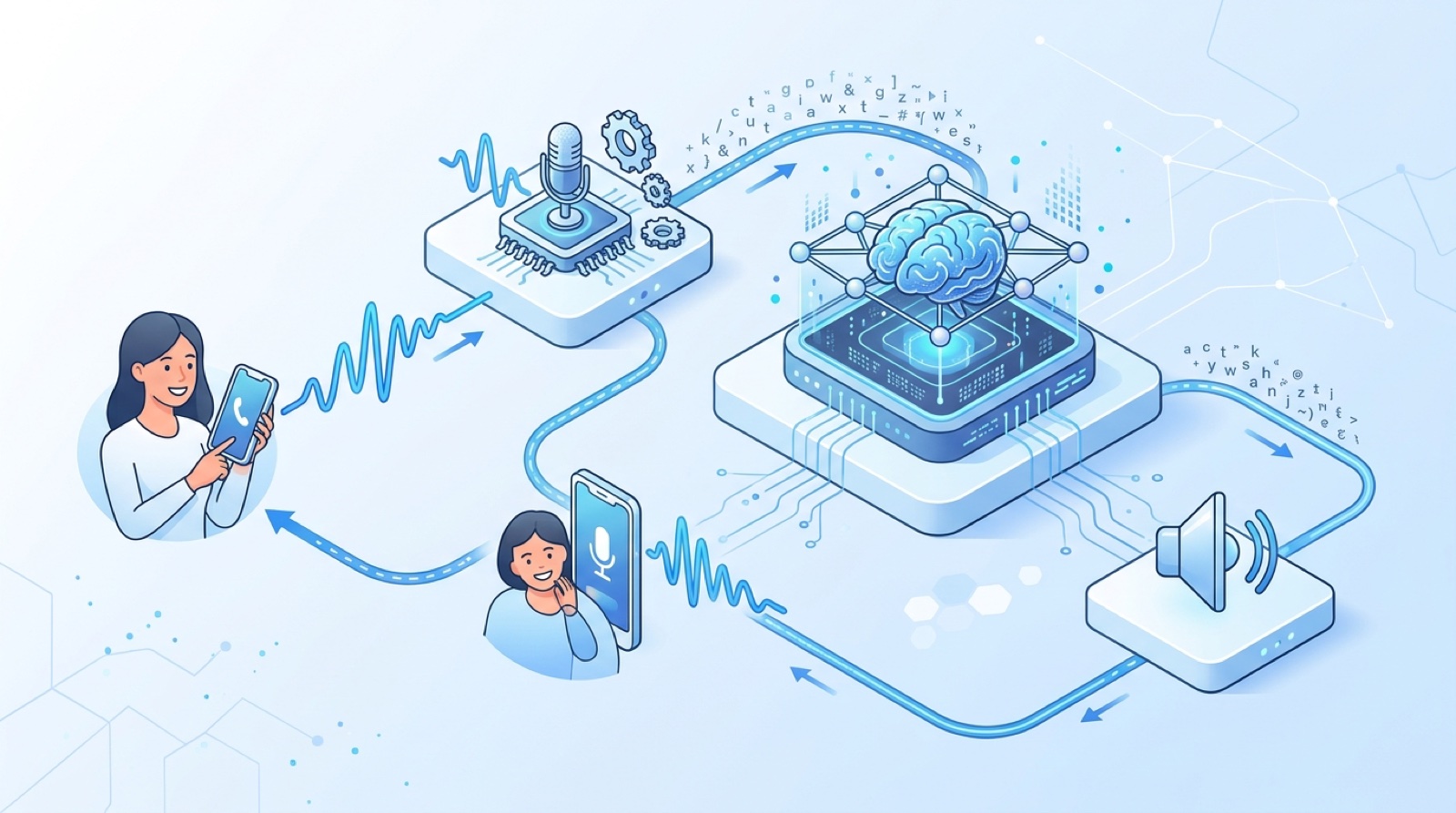
This is the playbook we run for every new AI customer service deployment. It compresses what most teams take 3 to 6 months to do into 4 weeks.
Day 1. Audit the last 1,000 tickets by category. The output is a histogram of ticket types ranked by volume. The top 5 categories usually account for 60 to 80 percent of all volume. Those are the categories you ship first.
Day 2. Score each top category on three axes: resolvability without human (high, medium, low), data sensitivity (PII, payment, none), and emotional weight (transactional, neutral, sensitive). The first deployment targets high resolvability, low to medium sensitivity, neutral emotion. Save the rest for later phases.
Day 3. Pick the platform. If you are already on Intercom, pick Intercom Fin. If you are on Zendesk, pick Zendesk AI Agents plus optionally Forethought. If you are starting fresh and want maximum containment, pick Decagon. If you are on a tight budget, pick Help Scout AI or Drift.
Day 4. Inventory your knowledge sources. Help center articles, internal wikis, past resolved tickets, product documentation, billing FAQ. Centralize them in one place.
Day 5. Set up the platform sandbox and connect your knowledge sources. Most platforms can ingest a help center sitemap in under an hour.
Day 6 to 7. Clean the knowledge base. The single biggest factor in containment rate is knowledge quality. Delete outdated articles, fix conflicting answers, add missing FAQs based on the ticket histogram from Day 1. This is unglamorous and important.
Day 8 to 9. Define the tool surface. List every action the agent should be allowed to take: refund up to $X, change shipping address, cancel subscription, escalate to billing team, create Jira ticket, send password reset. For each tool, define inputs, outputs, and guardrails (max amount, requires confirmation, audit log).
Day 10. Build the tool integrations. Most platforms support webhooks, REST APIs, or native integrations with Stripe, Shopify, Salesforce, HubSpot, and the major CRMs. This is the day your engineering team is involved. Budget 4 to 8 engineering hours.
Day 11 to 12. Run synthetic tests. Take 100 real past tickets from your top 5 categories and replay them through the agent in sandbox mode. Score each one as resolved correctly, partially correct, or wrong. Target: 60 percent fully resolved before going live.
Day 13 to 14. Tune the system prompt and knowledge base based on the misses. Common fixes: add missing articles, clarify ambiguous policies, tighten tool descriptions, add few shot examples for tricky categories.
Day 15. Define escalation paths. Every agent needs a clear handoff to a human when: the customer asks for one, the agent cannot resolve after 2 attempts, the conversation involves a refund above the threshold, the customer’s sentiment turns negative, or the issue touches a sensitive category (cancellations, complaints, fraud).
Day 16 to 17. Soft launch to 10 percent of inbound traffic. Monitor every conversation for the first 48 hours. Surface every escalation, every wrong answer, every customer complaint.
Day 18 to 19. Daily tuning sprint. Fix the top 5 issues from the soft launch. Add knowledge, refine prompts, tighten tool guardrails.
Day 20. Increase to 50 percent of traffic.
Day 21 to 22. Continue daily tuning. Most teams see containment climb 8 to 15 points in the second week of live traffic.
Day 23 to 24. Increase to 100 percent of traffic for the launched categories.
Day 25. Define the next phase. Pick the next 3 categories to add and start the playbook over.
By the end of Week 4 most deployments are at 50 to 65 percent containment on the launched categories. Three more weeks of tuning typically pushes this to 70 percent or higher.

The 4 week playbook compresses traditional 3 to 6 month deployments into a single sprint by sequencing knowledge curation, tool integration, and tuning in parallel.
These are the use cases where AI customer service pays for itself in the first 90 days.
Order status is the highest volume ticket category for any DTC brand. Customers want to know where their package is and when it will arrive. The agent fetches the order from Shopify or the OMS, calls the carrier API for tracking, and returns a clear answer with the latest scan and estimated delivery date. Containment rates above 85 percent are normal.
Returns and exchanges are slightly more complex but still highly automatable. The agent reads the return policy, validates the order is eligible, generates a return label via ShipStation or EasyPost, sends the email, and updates the order status. For brands with clear policies the containment rate runs 70 to 80 percent.
Billing tickets are repetitive and rule based which is exactly what AI agents do well. Update payment method, change billing cycle, apply a discount code, retry a failed charge, generate an invoice, change seat count, upgrade or downgrade plan. All of these can be tool calls into Stripe, Chargebee, or Recurly.
The agent should always confirm before charging money. The escalation rule is simple: any change above $X dollars goes to a human for approval. Below that threshold the agent ships it.
Password resets, email changes, name changes, and account merges. Boring and high volume. AI agents handle these in seconds without a human ever seeing the ticket. The trick is identity verification. Most platforms support multi factor verification before allowing sensitive changes.
Anything that is documented in your help center is a perfect candidate. The agent reads the article, summarizes the relevant parts, and answers the customer’s specific question. Better than sending a help center link and walking away. Containment rates above 80 percent.
For service businesses and clinics, appointment changes are the bulk of inbound volume. The agent checks the calendar, offers available slots, books or reschedules, and sends confirmations. This is exactly what CallSetter AI does on the voice channel for HVAC, dental, and law practices.
For more examples and screenshots from real deployments, read our AI customer service examples library.
Here is the part most companies miss in 2026. Customers do not pick a single channel. They pick whichever channel is fastest at the moment they have a problem. If your AI is great in chat but your phone goes to voicemail, you lost the customer.
The data is clear. Across the deployments we have measured, 35 to 55 percent of inbound support volume is still phone calls in 2026. For service businesses (HVAC, dental, law, real estate, insurance) the number is 70 percent or higher. For mature SaaS it is closer to 15 to 25 percent. Either way, voice is not optional.
The right architecture has a single agent personality across both channels with a shared knowledge base, shared tool layer, and shared escalation rules. The customer should get the same answer whether they type the question into the chat widget or speak it on the phone.
In practice this usually means two platforms working together. Your chat stack (Intercom Fin, Zendesk AI, Decagon) handles text. Your voice stack (Retell, Vapi, Bland, or Sierra) handles calls. The two share a common backend: same knowledge base, same APIs, same logging.
This is the gap that CallSetter AI fills. Your AI chatbot handles your tickets. Your AI voice agent handles your phone calls. Both should be running. CallSetter AI builds the voice side and integrates with whatever chat platform you already use, so the customer gets one experience even though the underlying tech is two stacks.
For more on the voice side, read the AI voice agents complete guide and the AI receptionist buyer’s guide.

This is where deployments die if you skip the planning. Three frameworks matter in 2026.
GDPR (Europe). If you serve EU customers you need a lawful basis to process their data, a clear privacy notice, the ability to delete on request, and a data processing agreement (DPA) with every vendor. The major AI customer service platforms (Intercom, Zendesk, Decagon, Ada) all sign DPAs and offer EU data residency. OpenAI, Anthropic, and Google all offer enterprise terms with no training on customer data.
CCPA (California). Similar to GDPR. The main difference is the right to opt out of sale, which generally does not apply to support data. The platforms above all support CCPA compliance.
HIPAA (Healthcare). This is the strictest. If your AI agent will see protected health information (PHI), you need a Business Associate Agreement (BAA) with the platform vendor and every underlying model provider. As of 2026: OpenAI offers a BAA via the enterprise tier, Anthropic offers a BAA, and AWS Bedrock supports HIPAA. Intercom Fin, Zendesk AI, and Decagon all offer HIPAA compliant configurations. Get the BAA in writing before you ship.
Other considerations.
The simplest rule: pick a platform with a SOC 2 Type II report, sign a DPA, sign a BAA if you touch PHI, and document what data goes where. If you are unsure, talk to a privacy lawyer before you ship in regulated industries.
We have seen these patterns repeatedly across 60+ implementations. Avoid them.
1. Shipping with a dirty knowledge base. Garbage in, garbage out. The agent is only as good as the docs you give it. Teams that ship with outdated, conflicting, or incomplete help articles see containment rates below 30 percent. Teams that spend Week 2 cleaning the knowledge base hit 60 to 70 percent on launch day. The cleanup is unglamorous and it is the single highest leverage step.
2. No clear escalation path. Every agent needs a clean handoff to a human when it cannot resolve. Without it, frustrated customers loop and rage. The escalation rule should be explicit: customer asks for human, agent fails twice, sentiment turns negative, sensitive category. When in doubt, escalate.
3. Trying to ship everything at once. The right first deployment covers 3 to 5 categories that account for 60 percent of volume. Teams that try to ship 30 categories on day one end up with a mediocre agent across all of them. Sequence the rollout. Ship the easy categories, prove the model, then expand.
4. No human in the loop QA. AI agents drift. Knowledge bases get stale. Tool integrations break. Without a weekly review of escalations, complaints, and CSAT trends, the deployment quietly degrades. Budget 2 hours per week from your support lead to review the agent’s work and feed corrections back into the knowledge base.
5. Ignoring the voice channel. Half your volume is on the phone and you are spending 100 percent of your AI budget on chat. Customers do not segment themselves by channel. They pick the fastest. If your phone tree is broken your CSAT will tank no matter how good your chat AI is. The voice side is not optional, it is the other half of the deployment.
For a deeper look at automation strategy, read our AI customer service automation playbook.
The metrics that matter in 2026 are different from the call center metrics you grew up with. Here is what to track.
Containment rate (the headline metric). Percentage of conversations resolved end to end without human escalation. Target: 50 percent at launch, 70 percent by month 3, 80+ percent by month 6 if you have clean knowledge and good tooling.
First contact resolution (FCR). Of the conversations the agent handles, what percent are resolved on the first interaction without the customer coming back. Target: 75 percent.
CSAT. Customer satisfaction score on a 1 to 5 scale, measured by post conversation survey. Target: 4.3 or higher. AI agents typically improve CSAT versus human teams because of speed, even when the resolution is identical.
Average handle time. How long the agent takes per resolution. Target: under 90 seconds for most categories. Long handle times indicate the agent is struggling and needs prompt or knowledge tuning.
Escalation rate. Percent of conversations the agent escalates to a human. Inverse of containment. Watch the trend, not just the absolute number. If escalations are climbing week over week, something is degrading.
Cost per resolution. Total platform cost plus model API cost divided by resolved conversations. Target: under $1 per resolution. Most deployments hit $0.40 to $0.80.
ROI. Monthly cost savings minus platform cost, divided by platform cost. Most deployments hit 5x to 25x in year one. If you are below 3x by month 3, something is wrong.
Hallucination rate. Percent of agent responses that contain factually wrong information. Target: under 1 percent. Higher means the knowledge base needs cleanup or the model needs grounding.
Sensitive escalation rate. Percent of conversations that involve refunds, complaints, cancellations, or fraud and got handled by AI versus human. Track this separately. It is fine to be low, what matters is that the right ones go to humans.
For a full benchmark report and a calculator you can use to model your own ROI, see AI customer service ROI benchmarks.
What is the difference between AI customer service and a traditional chatbot?
A traditional chatbot uses rules and decision trees to answer pre defined questions. It cannot handle anything outside its script. An AI customer service agent uses an LLM that reads the conversation, retrieves relevant knowledge, calls real tools, and resolves the issue end to end. The 2026 AI agents resolve 50 to 80 percent of conversations. Traditional chatbots resolved 12 to 18 percent.
How much does AI customer service cost?
Pricing varies by platform and volume. Intercom Fin charges $0.99 per resolved conversation. Zendesk AI is $115 per agent per month plus AI add ons. Decagon and Sierra are typically $30K to $250K per year for enterprise. Mid market companies usually budget $2,000 to $10,000 per month for a full deployment. The savings against human agent costs typically pay for the platform 5x to 25x over.
Is AI customer service safe for sensitive industries like healthcare and finance?
Yes, with the right configuration. The major platforms (Intercom Fin, Zendesk AI, Decagon, Ada) offer HIPAA compliant deployments with BAAs. For finance, look for SOC 2 Type II, PCI DSS compliance, and a proper DPA. Always escalate complex or sensitive cases (claims, complaints, fraud) to human agents.
How long does it take to deploy AI customer service?
With a SaaS platform like Intercom Fin or Zendesk AI you can ship a basic deployment in 1 to 2 weeks. A full custom build on OpenAI takes 8 to 16 weeks. Our 4 week playbook gets most teams to 60 to 70 percent containment on the top 5 ticket categories within 30 days.
Will AI customer service replace my human support team?
No, it shifts what they work on. The 2026 model is hybrid: AI handles the high volume routine work (70 to 85 percent of tickets) and humans handle the hardest 15 to 30 percent. Most teams do not eliminate roles, they redirect humans to higher value work like complex troubleshooting, customer success, retention, and escalation handling. Some teams freeze new hires rather than cutting existing staff.
What languages does AI customer service support?
The leading platforms support 50 plus languages out of the box. Ada is the multilingual specialist with the strongest quality across non English languages. Intercom Fin, Zendesk AI, Decagon, and Sierra all support major European, Asian, and LATAM languages. Quality is best in English, Spanish, French, German, Portuguese, and Mandarin. Quality is spotty in low resource languages.
How do AI customer service agents handle complex or angry customers?
Well configured agents detect negative sentiment and escalate to a human immediately. The agent should not try to argue or de escalate. The rule is: any sentiment below neutral, hand off. A human agent is much better at de escalation than any current LLM, and the customer feels heard.
Do I need to keep my human agents trained on AI tools?
Yes. The 2026 support team is part human, part AI, and the humans need to be fluent in working alongside agents. They should know how to read AI conversation transcripts, override agent decisions, feed corrections back into the knowledge base, and recognize when the agent is making the same mistake repeatedly. Training your team takes 4 to 8 hours and pays off immediately.
If this guide was useful, the next step is to dive into the specific platform you are leaning toward, the use case that matters for your industry, or the voice side of the equation.
AI customer service deep dives:
Voice side of customer service:
Done for you:
This guide is updated quarterly with the latest platform pricing, features, and benchmarks. Last review: April 2026 by Victor Smushkevich, CEO and Founder of Tested Media. Victor has been profiled in Forbes, HuffPost, and MarketWatch on AI and digital marketing.
Ready to ship the voice side? Your AI chatbot handles your tickets. Your AI voice agent handles your phone calls. Both should be running. CallSetter AI in 48 hours so the customer experience is the same whether they message you or call you.
Browse all 7 guides, reviews, and playbooks in the AI Customer Service category. New articles added weekly.
Talk with one of our SEO specialists today and see how we can supercharge your marketing campaigns!